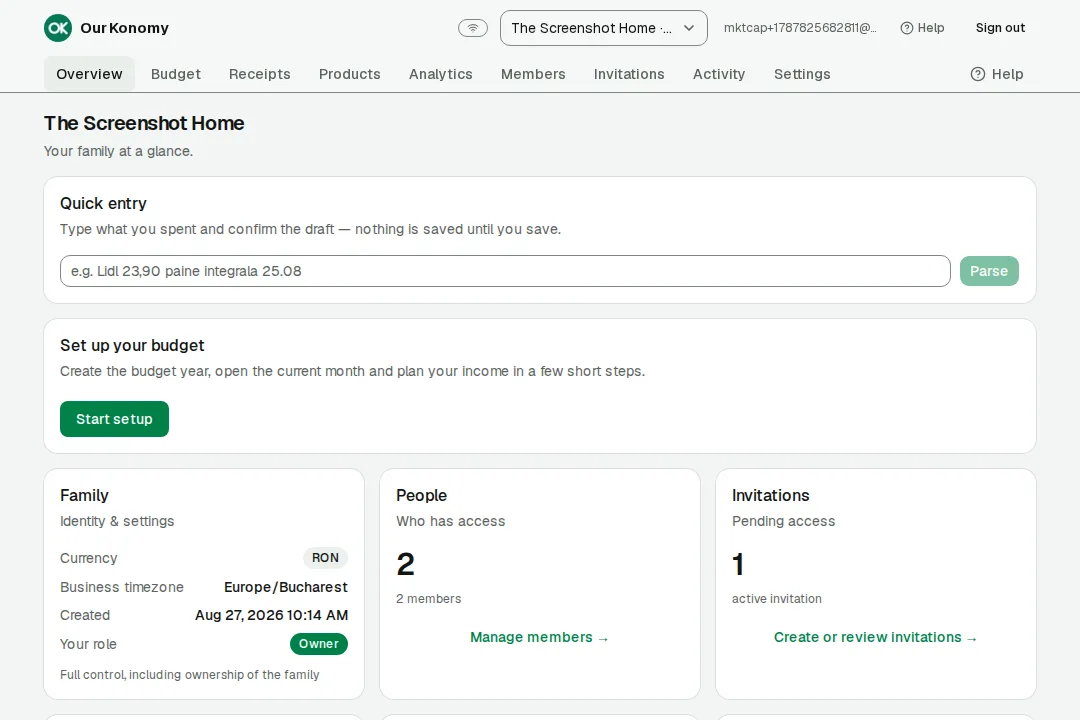
The month, at a glance
Planned versus actual, the unallocated money, and the close — one calm screen.
Open a month, see where every euro goes, close it with a settled truth — and start the next one already prepared. The Core is free for everyone. Built for a household, not a spreadsheet.
One film under two minutes: setup, income, articles, funds, receipts and the month lifecycle — exactly as the app works.
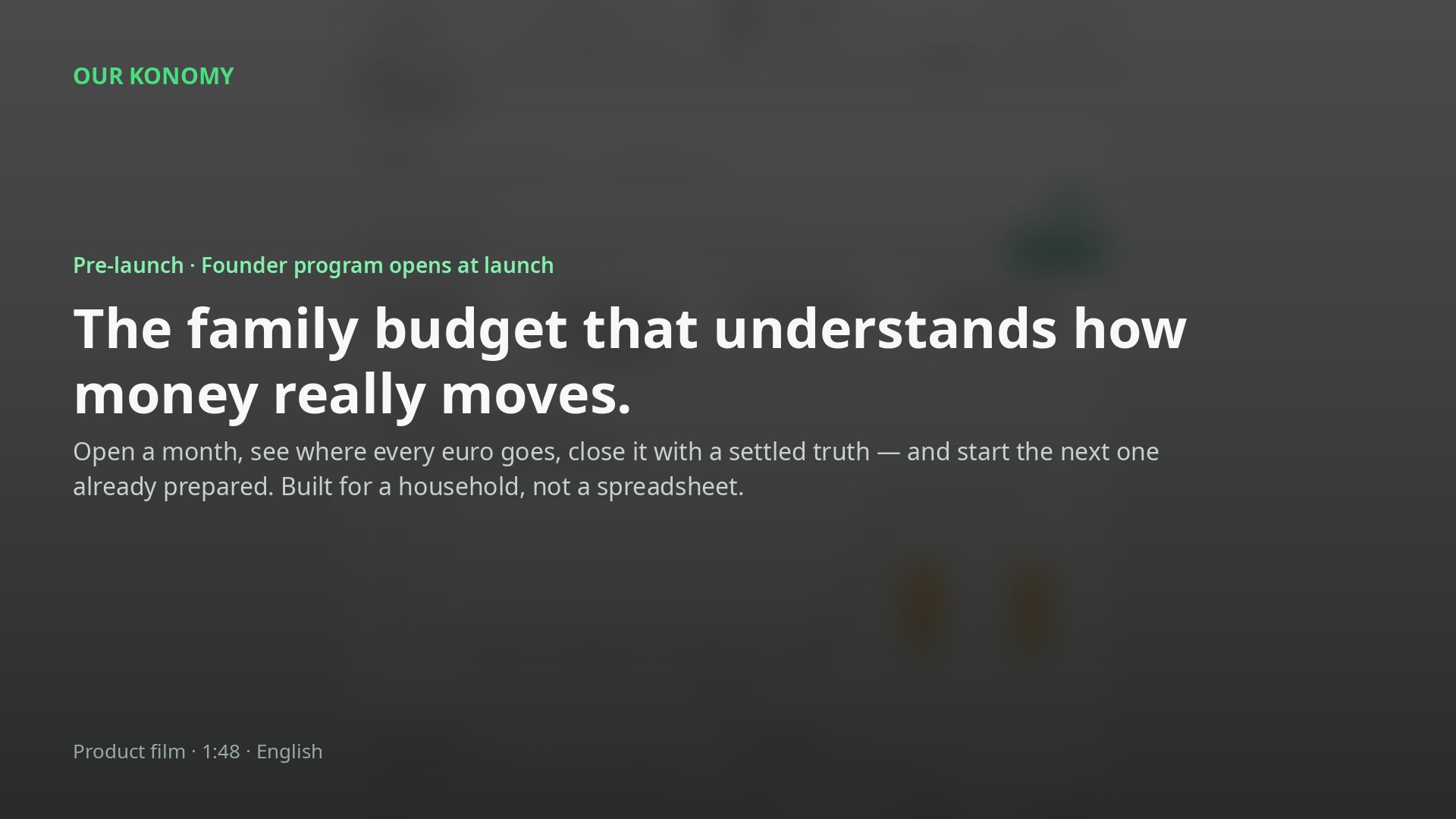
The film walks through setup, income, budget articles, installments, funds, moving money, tracked articles, the month cycle from open to close, and receipt review — the AI proposes, you confirm, and nothing is booked before you confirm. Every screen it shows is also on this page, section by section.
Founders get 9 months of Premium included, keep shared family participation free for life, and carry Founder status forever — the Core is free for everyone already.
These are real screens from the app, captured on a demo household. No invented UI, no concept art — this is what you open on launch day.
Planned versus actual, the unallocated money, and the close — one calm screen.
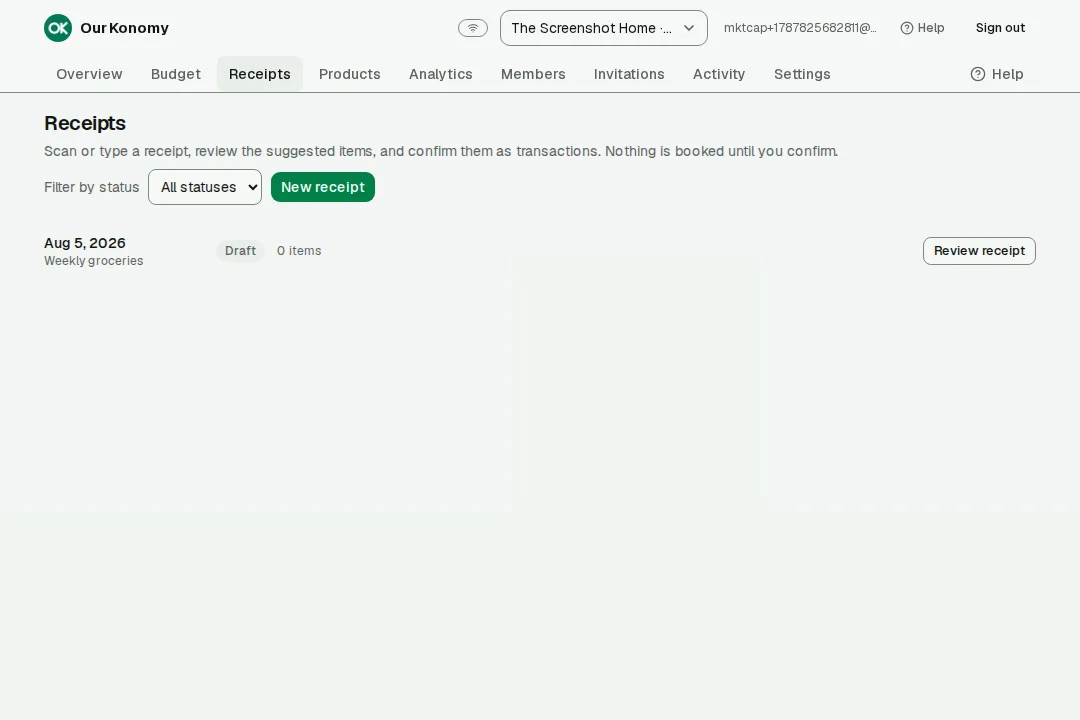
Scan a receipt, review the extracted lines, confirm — now it's budget.
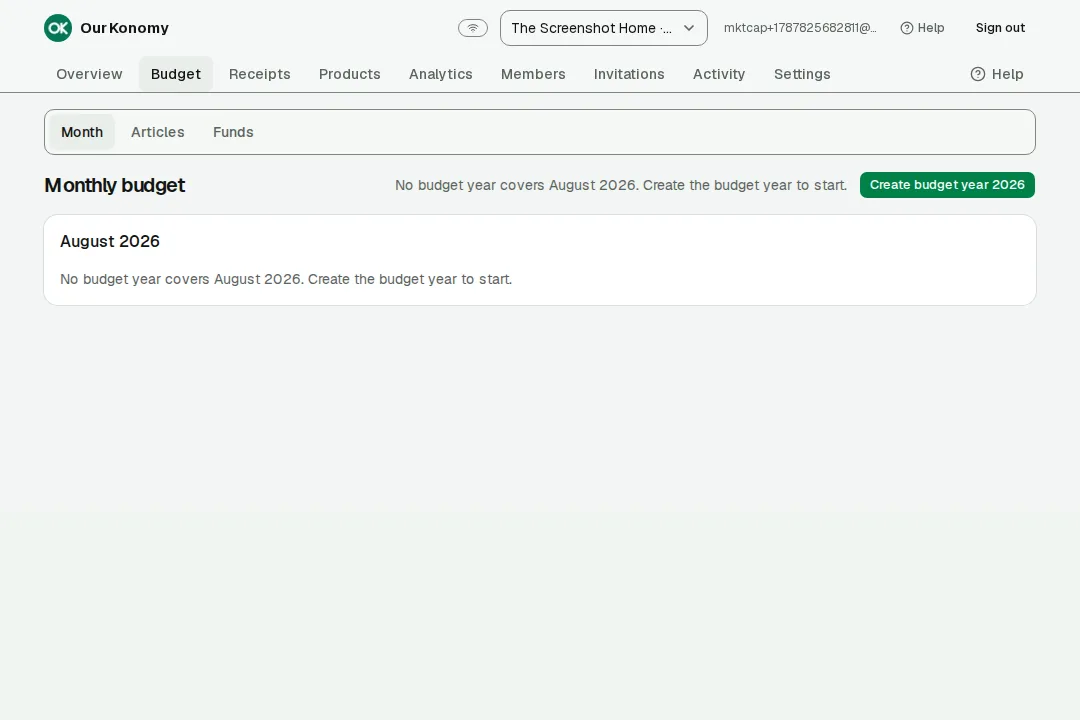
Food, transport, kids — each article shows its own planned and actual.
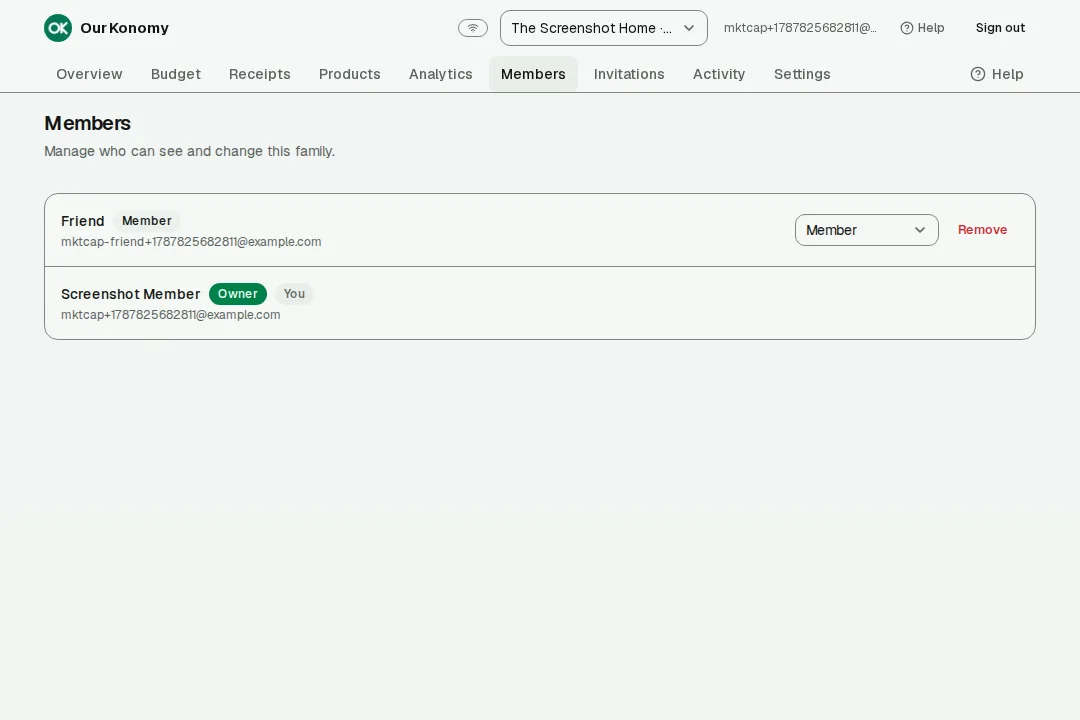
Members join by invitation, with roles, and work in the same live month.
The first run is a guided flow of eleven moments. Each one leaves the household with a real thing — not a checklist of forms.
Create the household and pick its budget year. It is the place where money is shared.
No money yet — just a home for it.
Open the month with its real dates. Until you open it, it is a plan — nothing counts.
A month is planning until it is open.
Your main income becomes the month's base. It can vary — edit the value for that month when it does.
Income is the roof everything plans under.
Bonuses and vouchers are additional income — clearly separate from money that carries forward.
Extra money never blurs into carried money.
Each bill and subscription is a baseline. When the price changes, you update that month — you don't rebuild the template.
Baselines, not guesswork.
Loans and device payments get their own lines, with the same editable-baseline model as bills.
Fixed commitments, always visible.
A lifetime fund is created for the household. It keeps the money that is meant to outlive any single month.
Some money lives longer than a month.
Food, transport, the kids — each article gets a budget and a rule for what its leftover does.
Every euro gets a room and a rule.
A savings goal is a real fund with a planned monthly contribution — a sinking fund, not a wish.
Savings get a fund and a plan.
Whatever is left after everything is calculated and shown. It is never asked for, and never hidden.
The residual is visible, by design.
Review, activate, and enter real life. When the month ends, you close it: it settles, and the next month inherits what you decided.
Closing is settlement — truth in, plan out.
That is the whole system. What follows is a closer look at each piece.
An article is a tracked budget line — food, transport, the kids. Income lands at the top of the month, expenses leave the article, and the leftover follows a rule you chose.
The page shows the shape; the guides show the moves. Four short reads, straight from the budget.
Income, bills, installments and savings are different animals. Our Konomy gives each one a home and the same exactness.
Your main income is the month's base. It can vary — and when it does, you edit that month's value instead of re-inventing a template.
Subscriptions and bills are baselines — a standing expectation, not a fixed law. When the price moves, the month is updated, and the change is visible history.
Loans, device payments, the long tail of installments — each has its own line and the same editable-baseline model as bills.
Savings goals are real funds with a planned monthly contribution. The permanent fund keeps the household's lifetime history alongside them.
Photograph or upload a receipt. The AI reads it into structured lines — what's on it, how much, when — and then you take over. Nothing is saved until you confirm.
From your phone's camera or a photo on your device.
Detection and recognition turn the picture into lines: items, amounts, date.
Laid out for a human to read, not for a database.
If you taught it before, it suggests where this belongs. A suggestion — never a silent write.
Fix a digit, split a line, change the article. You are the editor-in-chief.
Now the money rows exist. Cancel, and nothing was ever written.
No accuracy promises: the engine is strong, and you are the check. Processing runs on the same infrastructure that stores your data — self-hostable, under your control.
The first time a product appears, you choose where it belongs. The next time, it suggests the same place — because you taught it, not because a score got high.
Ten real parts of the app, each one already working. Every screen shown is captured from the actual product.
The overview screen is the calm center: planned versus actual for the open month, the unallocated money, and the path to closing it.
Closing a month is a settlement: the truth is fixed, and the structure you built carries into the next month. That open–close–carry rhythm is what makes a whole year legible.
You edit real life here — income, expenses, adjustments.
Settled and immutable: the truth of this month.
Opens with your baselines and the carried leftover.
The next month's plan, already shaped by this one.
Type a month. Watch what the app would carry into the next one — exact to the cent, no rounding games.
At close, the leftover carries into the article's next-month budget (policy: next month).
Illustrative inputs — nothing you type here is stored or sent anywhere.
Founder reservations are open during prelaunch: 10,000 places in total. Reserve with any valid email, confirm the 6-digit code we send immediately, and your place is kept for launch. After the web app launches, claim it on your account with the same email within 5 days.
The entire core budget — months, articles, funds, close and carry — is free for Founders, forever. A condition of the program, not a discount.
Receipt scanning and family invitations included for the first 9 months after launch.
The add-on that lets family members join a shared budget — for Founders it is free. For life. No months, no cap, no fine print.
A distinct premium theme — restrained gold on deep neutrals, readable in light and dark — becomes the default look of the app for Founders. Previewed below; it ships with the badge system.
Premium and quiet: a gold accent that marks a Founder's app, on a deep neutral base. It will be the default theme for Founders — and just a theme, changeable like any other.
Reserve and verify during prelaunch. When the web app launches, create or sign in to your account with the same email and claim your Founder benefits within 5 days.
Anyone with a valid email address can reserve. No payment, account or card is required.
Enter any valid email during prelaunch. No payment, no account, no card.
We send a 6-digit verification code immediately to that email.
Enter the code promptly to confirm your Founder place. If the code expires, request a new one. After launch, claim the confirmed place with the same email within 5 days.
All twenty crests, in one place — from your first month to the Dragon, and the badge that gathers the rest. The badge system goes live after launch; until then, none of them is earned.
Open your first budget year, then close the months one by one — up to the Lion, the highest of the normal animals.
 First year
 First month
 30 days
 3 months
 6 months
 9 months
 1 year
Bring people in: a family member at the table, then friends who join and build their own budgets.
 Family member
 2 invited
 5 invited
 10 invited
The documentation journey — receipts, documents and your money life kept in order.
 Documentation
The commitment ladders: three, six, nine, twelve months, and the whole year in one.
 Premium 3
 Premium 6
 Premium 9
 Premium 12
 Premium annual
The supporter crest — for the ones who choose to support Our Konomy.
 Fenix
FenixAbove the whole ladder, one last crest: the Dragon.
 Dragon
The Lion is the highest of the normal animals — the last animal before the Dragon.
The Dragon stands above the ladder. It is earned, never bought — and when it is earned, it pays out in kind.
Your first 1 year of Premium — full Premium, free.
Then, for life:
It is not free full Premium forever, and it is not free OCR — it is a standing arrangement for life, earned once.
Every badge you earn unlocks its matching visual theme. Using it is optional — take it, keep your current one, or switch any time in Settings.
Ships with the badge system after launch — shown here as planned.
Tier 1First monthYour first closed month. The journey begins here.Coming soonTier 230 daysThirty days of showing up. Consistency, not intensity.Coming soonTier 33 monthsThree months closed. The habit is setting in.Coming soonTier 46 monthsHalf a year of closed months. Halfway down the road.Coming soonTier 59 monthsNine closed months. The long way up becomes routine.Coming soonTier 61 yearTwelve closed months. One full year with Our Konomy.Coming soonTier 7First yearYour first anniversary. A full year of closed months behind you.Coming soonTier 82 invitedTwo people you invited joined the household.Coming soonTier 95 invitedFive invitations accepted. A community is forming.Coming soonTier 1010 invitedTen invitations accepted. You built a crowd.Coming soonTier 11Family memberA family member joined. The table gets bigger.Coming soonTier 12DocumentationReceipts and documents, kept in order. Proof the month really happened.Coming soonTier 13FenixYou gave, and it is recorded. The badge for households that give back.Coming soonTier 14Premium 3Premium for three months, in one small commitment.Coming soonTier 15Premium 6Six months of Premium, carried through.Coming soonTier 16Premium 9Nine months of Premium, steady to the end.Coming soonTier 17Premium 12Twelve months of Premium, committed one month at a time.Coming soonTier 18Premium annualThe whole year of Premium, in one commitment.Coming soonTier 19DragonThe crest above the ladder. Earned, never bought — it pays out: your first 1 year of Premium, then for life, family participation free and OCR at the Dragon rate.Coming soon Tier 20Badge collectionAll nineteen in the case. The badge that gathers the rest.Coming soon
Every concept the app uses gets its own chapter: a plain explanation, real examples, and an interactive simulator you can play with. The same chapters appear in the app's help center.
The base and its honest variations — and how an extra month of money stays separate from carried money.
Baselines you enter once and adjust when life changes — never rebuilt, always visible.
The fixed payments, each on its own line, planned the same way as bills.
Where every euro belongs — the routing, the leftover rules, and the tracked articles that just count.
The slow money: sinking funds, the permanent fund, and the sheet that shows where every fund stands.
Savings as a fund with a plan, not a hope — contribution, progress, goal.
Every chapter: an explanation, worked examples, and an interactive simulator.
Ships with the app at launch — shown here as planned.
Our Konomy is built and maintained by a small team that uses it every day. A voluntary contribution helps keep the development going — with no conditions, because the app stays fully useful without one.
No base functionality is locked or limited by supporting. The contribution is optional and unlocks nothing beyond the Phoenix badge.
Voluntary support earns the Phoenix badge.
Support Our KonomyFounder reservations are open now; the web app follows on its date. This is the order of things.
The full web app opens to everyone on October 15, 2026. Founder reservations are already available during prelaunch.
After launch, confirmed Founders have 5 days to create or sign in with the same email and claim their Founder benefits.
The badge system — the ladder to the Lion, and the Dragon above it — goes live after launch, starting with the first crest.
The same household, in native apps. No date yet — we would rather promise it when it is real.
The Core is free for everyone — always. Two add-ons exist after launch, and a bundle that is better than the sum of the parts.
Free for everyone, forever
€0.00/month
The whole family budget, free for everyone.
€3.00/month
Family members join your shared budget.
€3.00/month
Receipts in, money rows out.
€5.00/month
Both add-ons, one price.
The Premium bundle is cheaper than shared family participation and OCR bought separately — one price, both add-ons.
Annual Premium will be available for both add-ons and the bundle. No annual euro price is published here — when it is set, it will be announced with the launch pricing.
Dragon earners keep OCR at €1.00 per month, for life — a standing discount earned in the badge journey, not a free full Premium.
These four prices are the only public prices. The Core stays free for everyone, forever.
The badge ladder has a community track, and the program has a simpler one: invite people, and every five who count, Premium comes free for a month.
Every 5 qualifying new users earns you 1 free month of Premium.
It is repeatable and uncapped: 5 qualifying users, another month. Keep going, keep earning.
The stack is self-hostable: the same servers that run the app process your receipts and store your data.
Closed months are immutable. What a month settled as is what it stays — history you can argue from.
No AI suggestion is ever written without your review. Cancel, and nothing happened.
Money is decimal-exact from the first entry to the last close — no float, no rounding drift.
The public web launch is the date on the countdown at the top of this page — that is the only date we publish. Android and iOS come later, with no date until they are real.
A person who reserves a place during prelaunch with any valid email and confirms it with the 6-digit code we send immediately. Founders keep the Core free for life, get 9 months of Premium included, keep shared family participation free for life, and carry Founder status that never expires.
The Core — the whole family budget — is free for everyone, forever. After launch there are two add-ons: shared family participation at €3.00 per month, and OCR at €3.00 per month, or both together as the Premium bundle at €5.00 per month. Founders keep shared family participation free for life, with 9 months of Premium included.
Because “founder” should mean something when the set has an end. When all 10,000 places are confirmed, the program closes. Unverified reservations expire, and their places return to the pool.
If you do not verify the reservation code in time, the pending reservation expires and the place returns to the pool. If places remain, you can reserve again.
Any syntactically valid email address can reserve. The server is authoritative for availability and anti-abuse rules.
Receipt pictures are processed on the same infrastructure that stores your data — self-hostable, under your control. The AI proposes lines; you review and confirm every line before anything is saved.
No, and we will not pretend it is. It is strong at reading receipts, and the product is built around one rule: you are the reviewer. Nothing is written until you confirm.
Yes — the household is the unit. Members join by invitation with a role, and everyone works in the same live month.
The web app is phone-ready and installable as a PWA. Native Android and iOS apps are coming — “coming soon” until they exist.
Founder reservations are open during prelaunch. The web app launches on October 15, 2026; confirmed Founders then have 5 days to claim their benefits.
Early access is already open for the curious — sign in and open a month before launch day.